Guide
The Ultimate 2026 Guide to Cold Email Deliverability: Avoiding Spam Traps and Blacklists
Learn how to master cold email deliverability in 2026. We break down authentication, reputation, and the strict rules from Google and Yahoo to keep your inbox warm.
· 5 min read
On this page
Cold email deliverability in 2026 hinges on strict technical setup and consistent sender behavior, not just email copy. If you lack proper authentication and reputation management, your messages will land in spam regardless of content.
Key takeaways
- Authentication is non-negotiable: SPF, DKIM, and DMARC must be correctly configured before you send your first campaign.
- Protect your primary domain: Use a secondary domain for outreach to keep your main business email safe from reputation damage.
- Monitor volume and reputation: Keep daily send limits reasonable and check your sender score constantly to avoid blacklists.
- Follow provider rules: Google and Yahoo have explicit requirements for bulk senders that you must meet to land in the inbox.
What changed in cold email deliverability in 2026?
The landscape has shifted from loose guidelines to enforceable technical standards. In early 2026, major providers like Google and Yahoo began rejecting bulk senders who did not meet baseline authentication and volume requirements. This means you can no longer rely on simple domain setups to reach prospects.
Recent industry analysis confirms that deliverability standards have tightened significantly compared to previous years. For example, UnifyGTM's breakdown of 2026 domain setups highlights how essential infrastructure is now compared to content. Providers are using stricter filters to combat volume, so your technical foundation must be flawless.
How do SPF, DKIM, and DMARC work together now?
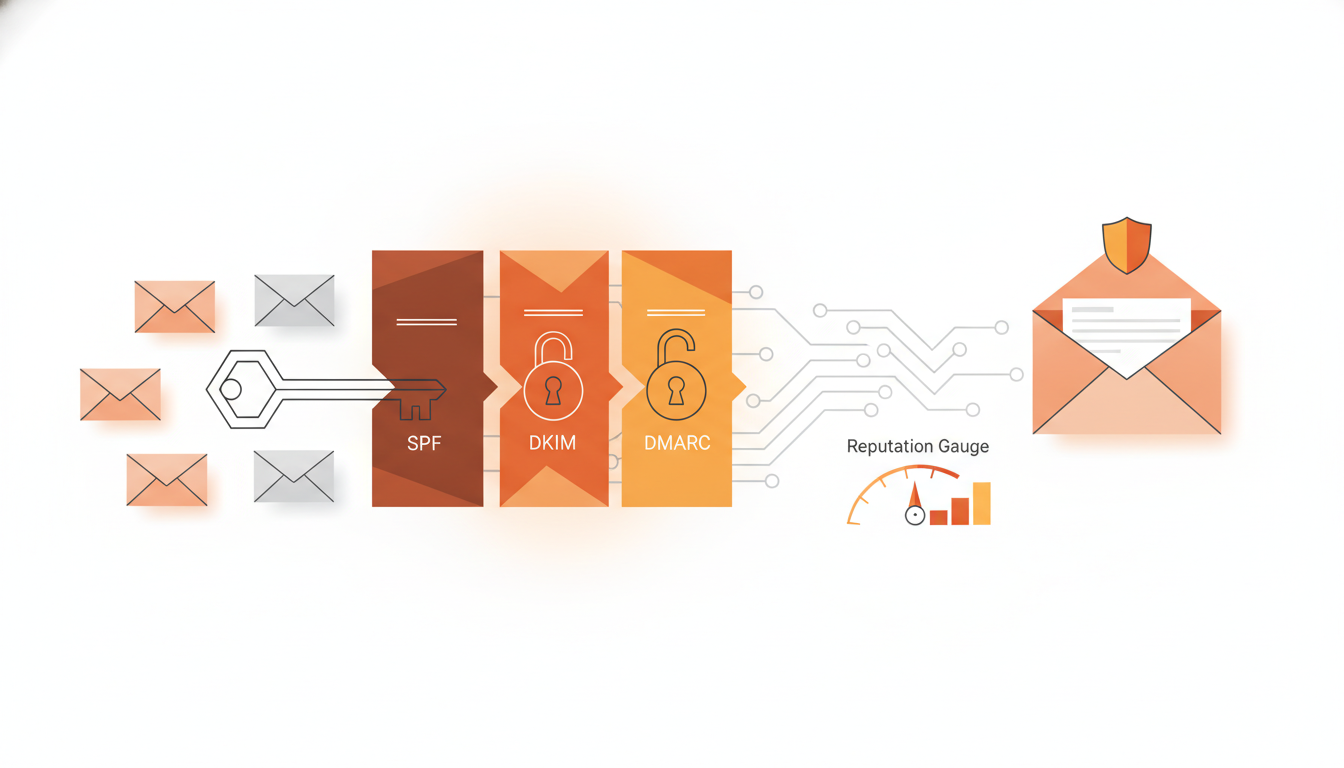
SPF, DKIM, and DMARC are the three pillars of email authentication. SPF lists the servers allowed to send email for your domain. DKIM adds a cryptographic signature to every message. DMARC tells the receiver what to do if SPF or DKIM fails.
Without DMARC, you are vulnerable to spoofing and reputation damage. You must set your DMARC policy to p=reject or p=quarantine to enforce protection. If you skip these, inbox providers will flag your domain as untrustworthy. This applies to both your main domain and any cold email subdomains you use.
What are Google and Yahoo email sender requirements in 2026?
Google and Yahoo now enforce hard limits on bulk senders to protect user inboxes. You must keep your daily send volume under a specific threshold for bulk traffic. You must also ensure your domain has valid SPF, DKIM, and DMARC records configured correctly.
You are also required to provide a clear and easy one-click unsubscribe link in every message. If you ignore these rules, your emails will be routed to spam or rejected entirely. The 2026 Cold Email Benchmark Report notes that campaigns ignoring these requirements see drastically lower inbox placement rates. Meeting these criteria is the baseline, not a bonus.
Why do cold emails go to spam in 2026?
Even with perfect setup, emails go to spam due to poor sender behavior. High bounce rates or a spike in spam complaints trigger automated filters. If users mark your message as spam, your domain reputation drops quickly.
Additionally, sending too many identical messages at once looks like bot activity. You should vary your copy slightly and warm up new domains slowly. Check your bounce rate daily; if it exceeds 3%, stop sending immediately. Your list hygiene matters more than your subject line. If your data is stale, your reputation will suffer.
How can you monitor sender reputation effectively?
You need a system to track your reputation score across different inbox providers. Relying on manual checks is too slow. Use tools that alert you when your IP or domain reputation dips. Monitor open and click rates to gauge engagement, as low engagement signals low quality to providers.
Here is a simple framework for daily monitoring:
| Metric | Target Range | Action if Breached |
|---|---|---|
| Bounce Rate | < 3% | Pause sending, clean list |
| Spam Complaints | < 0.1% | Remove recipient, check targeting |
| Engagement Rate | > 5% | Test different subject lines |
| Deliverability | > 95% | Review technical settings |
Regular checks allow you to catch issues before they cause a permanent blacklist.
What is the ultimate cold email deliverability checklist?
A checklist ensures you never miss a critical step before launching a campaign. Start with domain separation. Do not send cold outreach from your primary business email address. Register a secondary domain and wait for DNS propagation before configuring records.
Next, verify your authentication records using a lookup tool. Ensure DMARC is active. Warm up the new domain for at least two weeks. Start with 20 emails a day and slowly increase volume. Finally, set up suppression lists to avoid emailing people who have opted out previously.
FAQ
How do I remove my email domain from a blacklist?
First, identify which blacklist is flagging you using a lookup tool. Fix the underlying issue, such as spam complaints or bad IPs. Contact the blacklist operator with proof of remediation to request removal.
Is DMARC strictly required for cold email in 2026?
Yes, Google and Yahoo require valid DMARC records for bulk senders. Without it, your messages are at high risk of being rejected or sent to spam folders.
What is the ideal daily send volume for a cold domain?
Start low, around 20 to 50 emails per day. Increase this number gradually over weeks. If you see deliverability drop, reduce volume immediately to stabilize reputation.
Does having a good domain help cold email deliverability?
Yes, domain reputation is a primary factor in inbox placement. A healthy domain with no history of abuse is more likely to be trusted by ISPs than a fresh or flagged one.
What tools help with cold email infrastructure and monitoring?
There are specialized tools for warming domains, managing lists, and tracking reputation metrics. Look for platforms that integrate with your CRM and offer real-time alerts for bounce rate spikes.
For a more structured approach to infrastructure and automation, check out CogniLead to see how we handle the technical side of outreach.
Want CogniLead running deliverability on every send? Try it free or read the docs.